
WordPress eCommerce Website এ Floating "Order Now" Button যোগ করে Sales বাড়ান

FL Faysal
WordPress Web Designer, Security Expert & Trainer
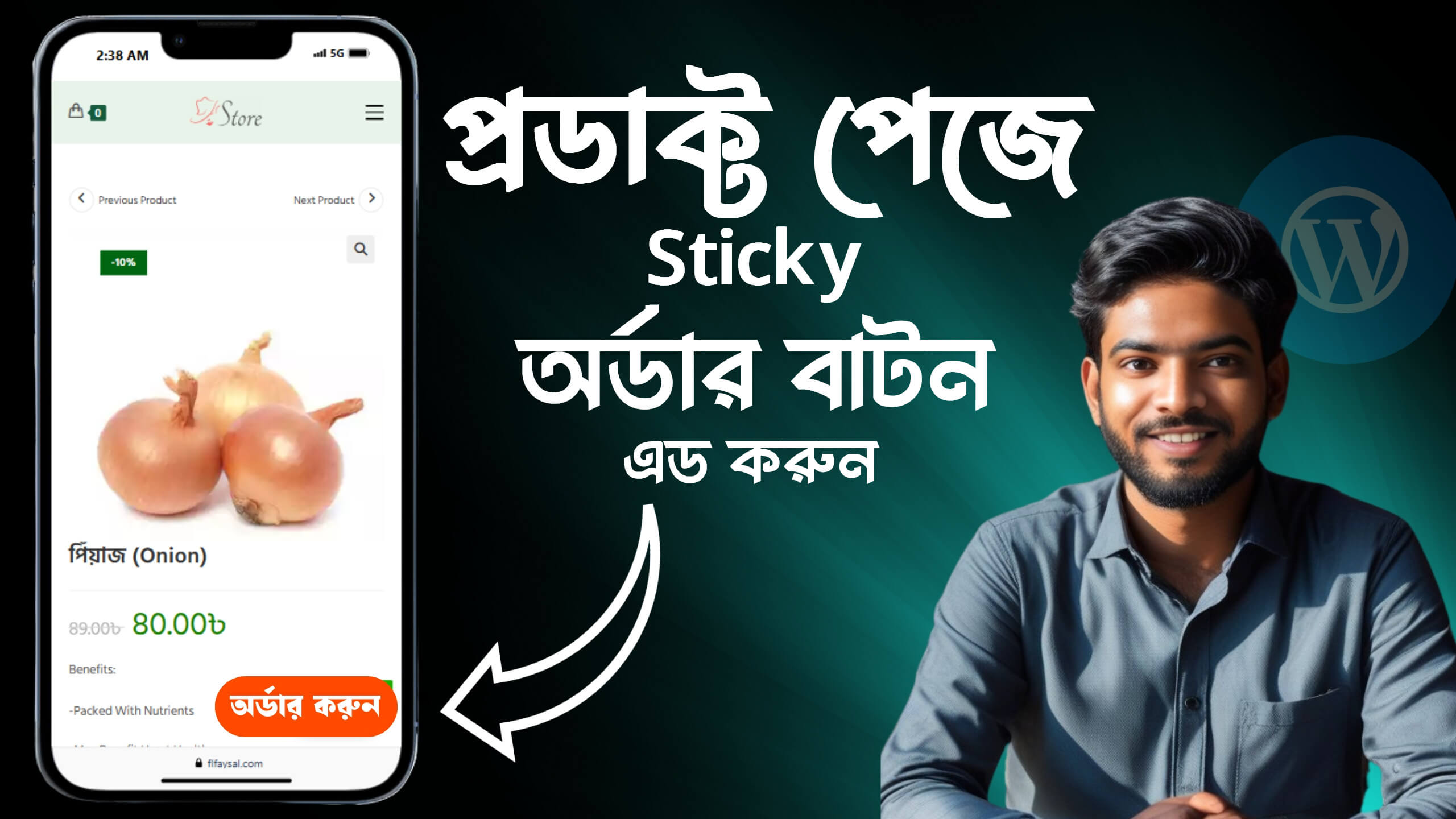
বর্তমান ই-কমার্স প্রতিযোগিতার যুগে একজন গ্রাহকের দৃষ্টি আকর্ষণ করে তাকে অর্ডার করানো অনেক বড় চ্যালেঞ্জ। তাই আপনার ওয়েবসাইটের User Experience (UX) এবং Call-to-Action (CTA) যদি কার্যকর না হয়, তাহলে আপনি অনেক সেল মিস করতে পারেন।
এই ব্লগে আমরা দেখব কিভাবে আপনি আপনার WordPress WooCommerce ওয়েবসাইটে একটি Floating "Order Now" Button যুক্ত করে সহজেই সেলস বাড়াতে পারেন।
🎯 Floating "Order Now" Button কি?
এটি একটি স্টিকি বাটন যা আপনার WooCommerce প্রোডাক্ট পেজে সবসময় ভিজিটরের স্ক্রিনে দৃশ্যমান থাকে।
যখন একজন ইউজার পেজ স্ক্রল করেন, তখন সাধারণত অর্ডার বাটন চোখের আড়ালে চলে যায়। কিন্তু এই ফ্লোটিং বাটন সবসময় দৃশ্যমান থেকে ইউজারকে দ্রুত অর্ডার করতে উৎসাহিত করে।
✅ এই বাটনের সুবিধা কী?
- Conversion বাড়ায় – গ্রাহক দ্রুত সিদ্ধান্ত নিতে পারে।
- Mobile Friendly – মোবাইল ইউজারদের জন্য খুবই কাজের।
- UX উন্নত করে – ব্যবহারকারীর জন্য ওয়েবসাইট সহজ ও সাবলীল হয়।
- Impulse Buy বাড়ায় – প্রোডাক্ট দেখে সাথে সাথে কিনে ফেলার প্রবণতা বাড়ায়।
- Customizable – রঙ, টেক্সট, পজিশন ইচ্ছেমতো পরিবর্তন করা যায়।
🛠 কিভাবে WordPress-এ Floating "Order Now" Button যোগ করবেন?
🔹 পদ্ধতি ১: Elementor ব্যবহার করে
আপনি যদি Elementor ব্যবহার করেন, তাহলে নিচের ধাপগুলো অনুসরণ করতে পারেন:
- প্রোডাক্ট পেজটি Edit করুন Elementor দিয়ে।
- Button উইজেট ব্যবহার করে “Order Now” বাটন তৈরি করুন।
- Advanced > Motion Effects > Sticky > Bottom নির্বাচন করুন।
- Optional: Z-index বাড়িয়ে দিন যাতে অন্য কিছু বাটনের উপরে থাকে।
- Mobile ও Tablet ভিউ-তে রেসপন্সিভ চেক করুন।
💡 Pro Tips:
- বাটনের কালার আপনার ব্র্যান্ডিং-এর সাথে মিলিয়ে রাখুন
- “Buy Now”, “Order Now”, “Get It Now” – এই টাইপ CTA ব্যবহার করুন
- Mobile ভিউ-তে ছোট করে রাখুন যাতে স্ক্রিন ব্লক না করে
- বাটনে Animation দিলে Attention বাড়ে
📈 কেন এটা আপনার eCommerce Store-এর জন্য গুরুত্বপূর্ণ?
বর্তমানে মানুষের সময় কম, ধৈর্য কম। তারা চায় দ্রুত এবং সহজে কাজ করতে। আপনি যদি তাদেরকে বারবার Scroll করতে বলেন, তাহলে তারা অন্য কোথাও চলে যাবে।
একটি Floating CTA Button মানে আপনি তাদের হাতের কাছে Action অপশন তুলে দিচ্ছেন। এটা Conversion বাড়াতে ব্যাপক কার্যকর।
🔚 শেষ কথা
একটি ছোট পরিবর্তন – যেমন একটি Floating "Order Now" Button – আপনার WordPress eCommerce ওয়েবসাইটে উল্লেখযোগ্য পরিবর্তন আনতে পারে। এটি শুধু ব্যবহারকারীর অভিজ্ঞতা উন্নত করে না, বরং আপনার Sales ও Revenue বাড়াতেও সাহায্য করে।
আজই এটি আপনার সাইটে যুক্ত করুন এবং পার্থক্য অনুভব করুন!
// Floating "Order Now" Button এবং Checkout Redirect ফাংশন
add_action('wp_footer', 'custom_floating_order_now_button');
function custom_floating_order_now_button() {
    if (is_product()) {
        global $product;
        $product_id = $product->get_id();
        $add_to_cart_url = esc_url( home_url() . "/?add-to-cart=" . $product_id . "&quantity=1&redirect_to_checkout=yes" );
        ?>
        <style>
            .floating-order-now {
                position: fixed;
                bottom: 20px;
                right: 20px;
                background: #ff4a00;
                color: #fff;
                padding: 12px 20px;
                border-radius: 30px;
                font-weight: bold;
                box-shadow: 0 4px 12px rgba(0,0,0,0.3);
                z-index: 9999;
                cursor: pointer;
                text-decoration: none;
                transition: background 0.3s;
            }
            .floating-order-now:hover {
                background: #e03d00;
            }
        </style>
        <a class="floating-order-now" href="<?php echo $add_to_cart_url; ?>">অর্ডার করুন</a>
        <?php
    }
}

// Checkout-এ redirect করার জন্য সঠিক ফিল্টার
add_filter('woocommerce_add_to_cart_redirect', 'my_custom_redirect_to_checkout');
function my_custom_redirect_to_checkout($url) {
    if (isset($_GET['redirect_to_checkout']) && $_GET['redirect_to_checkout'] === 'yes') {
        return wc_get_checkout_url();
    }
    return $url;
}

// Checkout page-এ quantity input enable
add_filter('woocommerce_checkout_cart_item_quantity', 'show_quantity_input_on_checkout', 10, 3);
function show_quantity_input_on_checkout($quantity_html, $cart_item, $cart_item_key) {
    $_product = $cart_item['data'];
    if ($_product && $_product->is_sold_individually() === false) {
        $product_id = $cart_item['product_id'];
        $quantity = $cart_item['quantity'];
        $quantity_html = woocommerce_quantity_input(array(
            'input_name'  => "cart[{$cart_item_key}][qty]",
            'input_value' => $quantity,
            'max_value'   => $_product->get_max_purchase_quantity(),
            'min_value'   => '1',
        ), $_product, false);
    }
    return $quantity_html;
}
FL Faysal
WordPress designer, security specialist, and trainer. I build fast, secure websites and share practical tutorials to help others learn web development and freelancing.
More Articles
View All →AI দিয়ে ফ্রি ল্যান্ডিং পেজ ডিজাইন সম্পূর্ণ ফ্রি
.blog-container{ max-width: 780px; margin: 0 auto; padding: 35px; background: #fff; border-radius: 18px; box-shadow: 0 10px 35px rgba(0,0,0,0.07); font-family: 'Segoe UI', sans-serif; } .blog-title{ font-size: 34px; font...
অর্ডারের আগেই ডেলিভারি চার্জ নিন! | WooCommerce Partial Payment & Advance Payment Setup (COD Friendly)
ই-কমার্স ব্যবসায় Cash on Delivery (COD) এখনো অনেক কাস্টোমারের কাছে সবচেয়ে জনপ্রিয় পেমেন্ট মেথড। কিন্তু এর সাথে জড়িত থাকে বেশ কিছু ঝুঁকি—ফেক অর্ডার, ডেলিভারি রিজেকশন, বা রিটার্ন। এই সমস্যাগুলোর সমাধানে আপনি WooCommerc...
WordPress Websites Security and Maintenance
WordPress Websites Security and Maintenance of WordPress Websites WordPress Security These guidelines will help in making the most effective use of the WordPress website: 1.1. Use strong passwords The password used for...